Making photo galleries feel natural
I wanted a cleaner way to browse photos without forcing every image into the same height.
A regular CSS grid looked fine in mockups, but it fell apart once I mixed portrait and landscape shots. The gaps were ugly, and long galleries started to feel like rows of boxes instead of a photo grid. Masonry fixed that, so I ended up wiring it into the home page, map page, and gallery templates.
This is the build note for how that setup works in this project.
Why react-masonry-css
I landed on react-masonry-css after I tried rolling my own column rebalancing. That went badly. Masonry looks simple until resize, focus order, and reflow start fighting each other. I needed something small that would handle the column layout without dragging in a heavier system, and this did the job.
I reused the same pattern on the home page, gallery templates, and map page — three places that all had to handle mixed image sizes without looking broken.
Current version in this project:
{
  "react-masonry-css": "^1.0.16"
}
The same breakpoint structure is used across all three:
const breakpointColumns = {
  default: 3,
  1024: 3,
  768: 2,
  640: 1,
};
Three columns on desktop, two on tablet, one on mobile. Straightforward, but it took time to settle on those exact thresholds — I spent an embarrassing amount of time tweaking 1024 and 768 to feel natural on my iPad and test devices.
The map flow: marker selection to masonry data
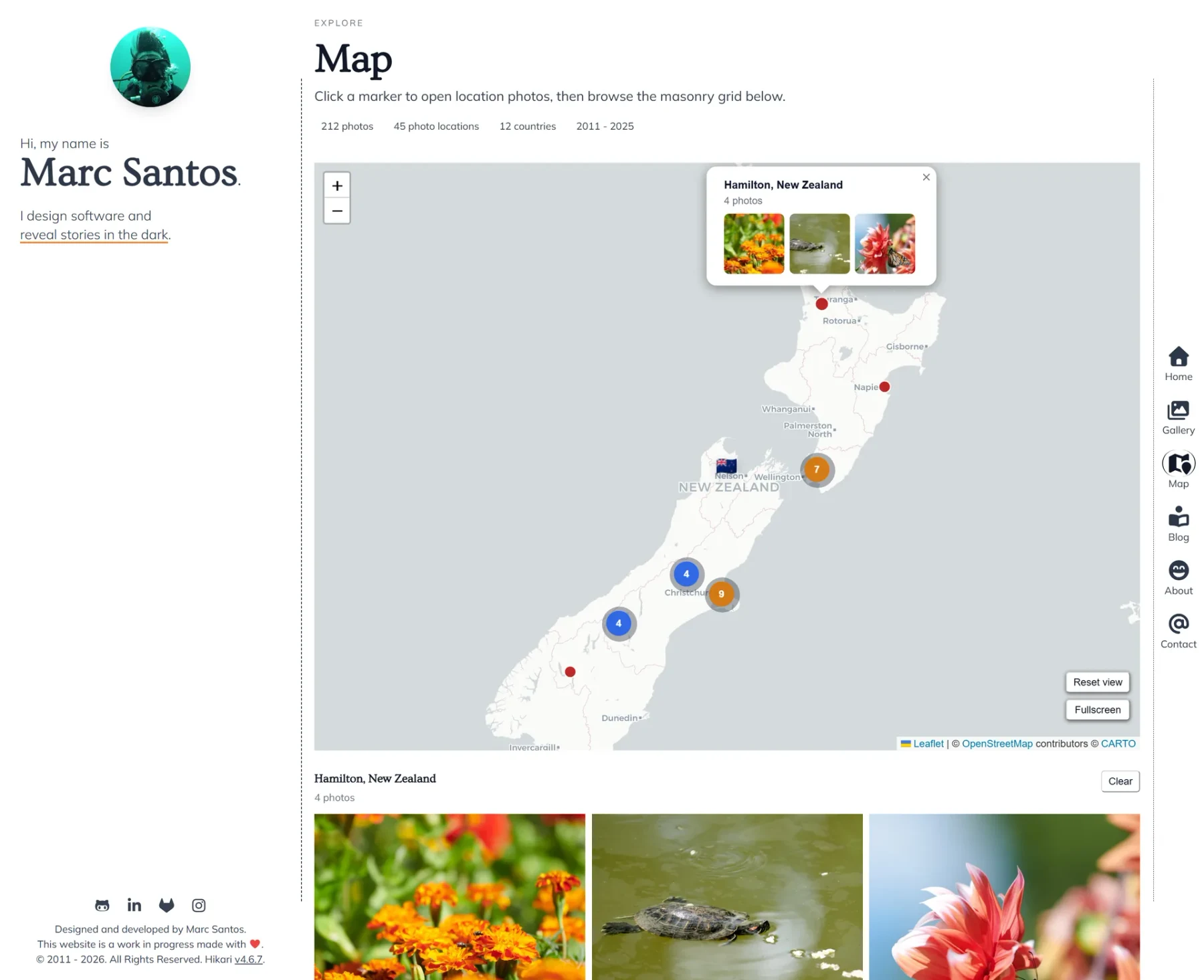
On the map page, when a marker gets selected, photos are filtered from captions.json and validated against available image metadata.
const selectedLocationPhotos = useMemo(() => {
  if (!selectedLocation) return [];

  return captionData
    .filter((entry) => {
      if (!entry || typeof entry.location !== 'string' || typeof entry.filename !== 'string') {
        return false;
      }
      const imageMeta = imageLookup[entry.filename];
      const hasRenderableImage = Boolean(imageMeta?.src || imageMeta?.imageData);
      return entry.location.trim() === selectedLocation && hasRenderableImage;
    })
    .map((entry) => ({
      filename: entry.filename,
      caption: entry.caption || '',
      title: entry.title || '',
      tags: Array.isArray(entry.tags) ? entry.tags : [],
      date: entry.date || '',
      src: imageLookup[entry.filename]?.src || null,
      imageData: imageLookup[entry.filename]?.imageData || null,
    }));
}, [imageLookup, selectedLocation]);
This looks defensive, and it is. Early on I just rendered whatever caption existed, which led to broken tiles when image metadata was missing. I got tired of debugging why the visible tile count didn't match my caption entries, so I added the strict checks. Now if a piece is missing, the tile doesn't render at all. It keeps keyboard navigation and lightbox indexing stable, which matters when you're in a selected state and expect a predictable order.
Masonry tile structure and interaction polish
Each tile is a figure with the image, optional metadata overlay (title/caption + date), and a subtle tilt effect on desktop powered by CSS variables (--tilt-x, --tilt-y, --tilt-scale) updated during pointer movement.
The tilt is subtle on purpose. Too much motion makes a dense gallery annoying fast. This version just gives desktop tiles a bit of response under the pointer without turning the whole thing into a gimmick.
For keyboard users, lightbox tiles are focusable and respond to Enter and Space. Each has an explicit aria-label that includes the image position, so screen reader users know where they are in the sequence.
Infinite batching for larger galleries
Loading every tile at once on gallery pages was wasteful. I built a batching hook that starts with an initial count and reveals more tiles as the scroll loader approaches the viewport.
const DEFAULT_BATCH_SIZE = 12;
const DEFAULT_INITIAL_COUNT = 36;

const { loaderRef, visibleCount } = useInfiniteImageBatching(images.length);
The hook combines IntersectionObserver on a sentinel element with near-bottom scroll detection as a fallback. Early versions relied on the observer alone, and it was fragile — especially after layout shifts. Adding the scroll fallback made it much more resilient across different container types and viewport changes.
Visual consistency across templates
Home, gallery, and map templates share the same masonry setup: same breakpoints, same spacing rhythm, same overlay styles, same desktop interactions. I kept those aligned so moving from a marker gallery to a tagged gallery didn't feel like switching to a completely different UI.


What still annoys me
Masonry is good for browsing photos, but it still has a few annoying edges. Vertical reading order gets less obvious once columns rebalance mid-scroll. Hover-heavy overlays are also awkward on touch devices — I still end up with clumsy double-tap states on mobile. And any per-tile motion has to stay restrained or the grid turns into noise.
The next thing I want to fix is URL state. Shared links should be able to open a specific location and gallery state directly. Right now if you send someone the map page, they land on the default view instead of the gallery you were looking at.
What made it work
None of the individual pieces here are especially clever. The hard part was getting them to agree with each other. The filtering logic, the breakpoints, the lightbox order, and the batching all had to stay in sync or the rough edges showed up immediately.
Once that part was solid, the masonry grid stopped feeling bolted on. It just became the way these galleries were supposed to work.