The pitch: detection in a browser
In 2018, the New Zealand Defence Force (NZDF) wanted a live demonstration of object detection technology for their annual conference. I had two weeks to build it.
The original request was for a native mobile app using Xamarin. But I pushed back. A web app meant people at the conference could just pull out their phones and point them at objects — no installation, no friction. HTML5 had gotten to the point where that was actually possible, and it felt like a way better experience than asking people to download something first.
NZDF provided 10 physical objects to train the custom vision model1. The training process itself was well-defined: at least 15 photographs per object, taken from different angles and lighting conditions. Each image was labelled in the Custom Vision portal before the model was trained. The model was Microsoft's, limited-trial at the time.
When the model matched one of those 10 objects, the app pulled records from a data warehouse2 and displayed key metadata to the user — object name, category, and handling details — in a panel alongside the video feed.
Mobile changes the rules
Testing locally worked. Stationary camera, I'd hold up objects, the model would fire. Simple.
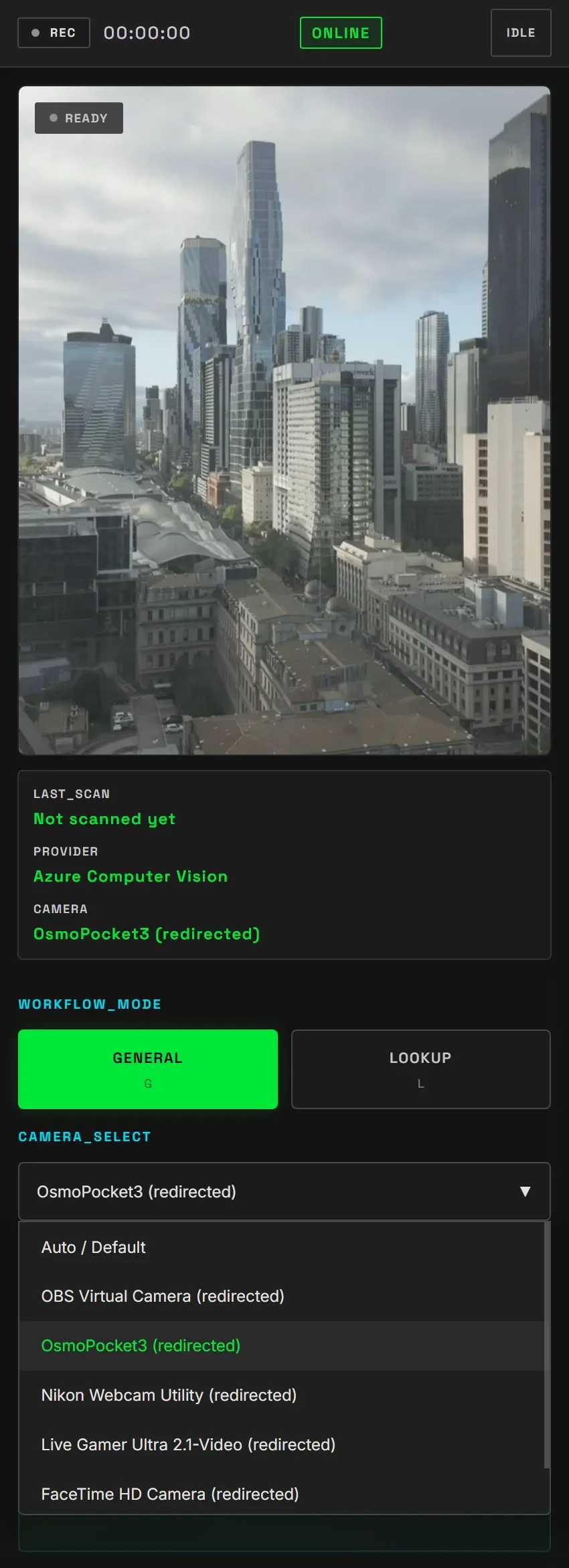
On actual mobile devices, I ran into the first unexpected thing: users want to switch between the front and back cameras. Added a toggle for that — small feature, but I hadn't thought about it beforehand.


But camera switching was the smaller problem.
The API cost problem
The obvious approach was to stream frames from the video feed to the API as fast as the device could send them. Real-time predictions, simple logic.
I burned through my entire quota in the first test run. Like, minutes.
Custom Vision in 2018 was still limited-trial, and despite being a Microsoft partner there was no special treatment. Every API call counted, so thirty frames per second was not an option.
Workarounds at the edges
Two things saved the demo. First, I stopped streaming every frame and sent one image every 30 seconds in the background. The video feed stayed live, so it looked real-time even though predictions were half a minute behind. People didn't notice because the video never stuttered.
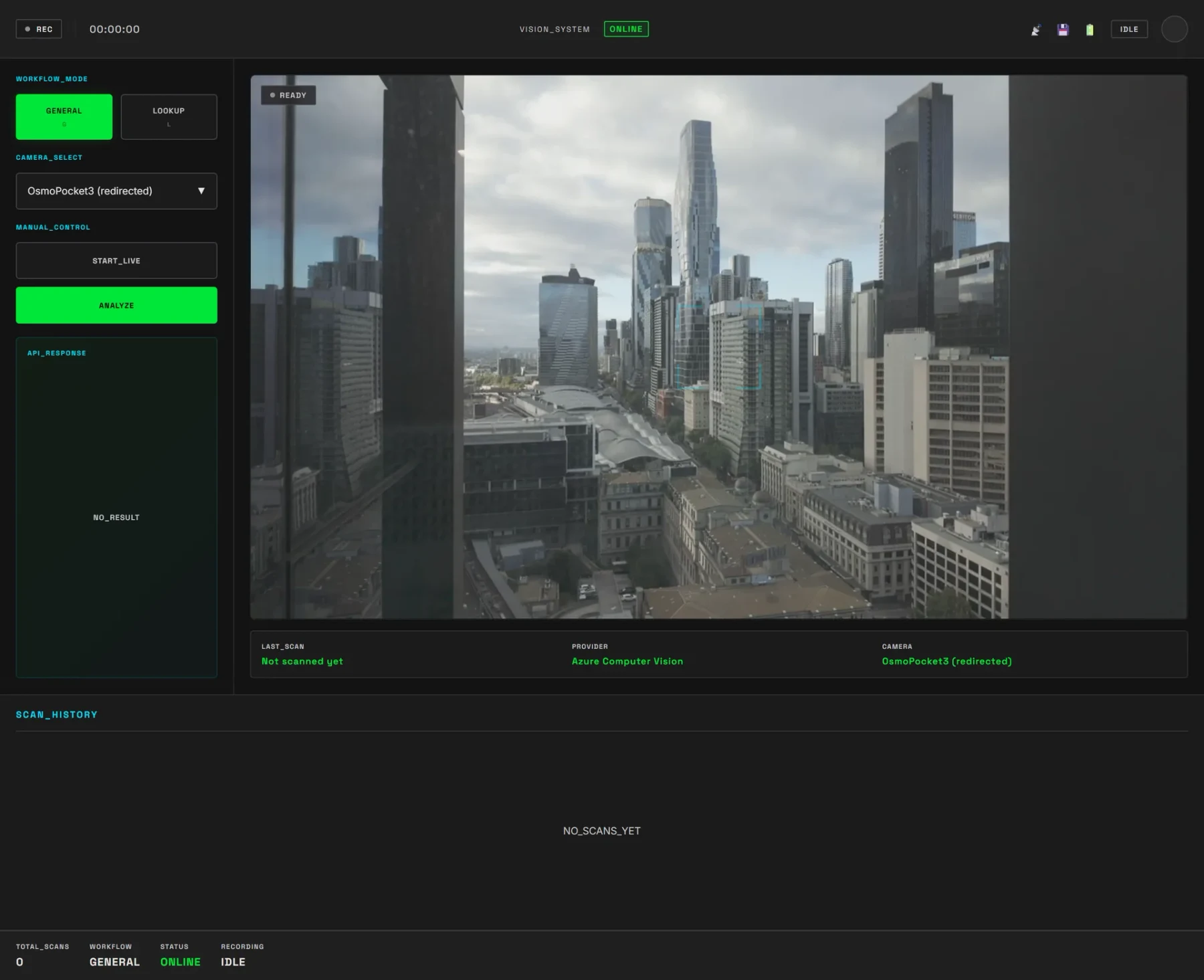
Second, I added a visual bounding box around detected objects. Just a <div> with a CSS border, positioned absolutely. The model returns normalised box coordinates, and I mapped those directly to the video viewport using percentage-based left/top/width/height.
I connected a small SVG line from the box to a callout showing object metadata. That instant feedback made the whole thing feel responsive, even with stale predictions underneath — the video never stuttered, predictions just quietly refreshed in the background.


It worked. The demo ran. Conference attendees got their photos analyzed.
The lesson
The real constraint wasn't the API quota. It was that the demo had to work at a conference for maybe two minutes per person, on whatever device they brought. Real-time detection sounded important, but it wasn't.
What mattered was that people could point their phone at an object, see it recognized, and get useful information back. Slightly stale predictions with a responsive live feed did that just fine.
2018's limited-trial tier isn't how it works now, but the principle held: work within the limits you have, and you usually ship something smarter than if you'd had unlimited resources.
Now, in 2026, I'm rebuilding the PoC with technologies that are new to me. I chose SvelteKit3 for the frontend, while keeping Azure Custom Vision and Computer Vision at the core.
I also leaned on AI to accelerate how I learned the new language and framework. It took one weekend to reach roughly the same capabilities as the first version, although that speed also came from lessons I carried over from the original build and issues I could pre-empt this time. The rebuild is listed on the Lab page.
Footnotes
-
Custom Vision is a managed cloud service from Microsoft for training image classification and object detection models using your own labelled photographs. ↩
-
A data warehouse is a centralised store of structured data; here it held the metadata associated with each of the 10 recognised objects. ↩
-
SvelteKit is a web application framework built on the Svelte compiler, chosen for the 2026 rebuild in place of the original vanilla HTML5 approach. ↩